Case study — Driversity Training

From paper forms to
one-click client reports.

Driversity Training assesses other companies' drivers out on the road and reports back to the employer. AXRIK built an assessment portal that guides trainers through every session — and turns each one into a professional, branded PDF report that reaches the client with a single click.

ClientDriversity Training
SectorFleet safety & driver assessment
DeliveredAssessment portal + auto PDF reports
AI featuresProspect finding · outreach drafts

The problem

Every report retyped, formatted and chased.

Assessors were filling in paper and Word templates on the road. Back at base, every assessment had to be retyped, formatted and checked before it could go to the employer — and no two reports ever looked quite the same.

The business needed assessments to be consistent, reviewable, and turned into a polished branded report every single time — without a day of admin between the drive and the client's inbox.

What we built

From the driver's seat to the client's inbox.

1 · The guided assessment

  • A structured on-road assessment form covering the whole session — details, drives, ratings and outcome
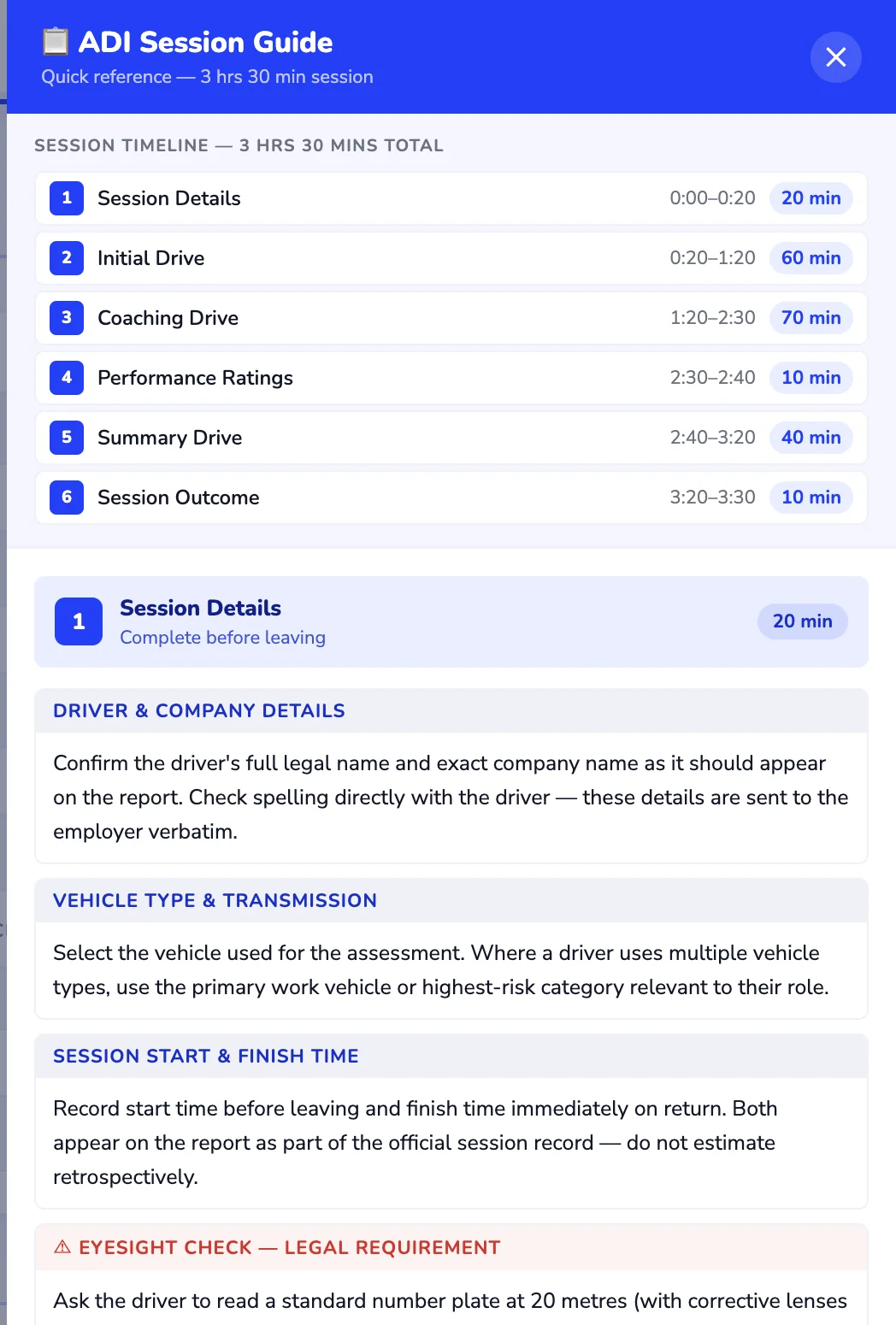
  • A built-in session guide the trainer can open at any moment while filling the form in — what to check, when, and why
  • Legal must-dos like the eyesight check flagged clearly, so nothing required ever gets missed
  • Forms the team edits themselves — add, rename or remove fields with no developer needed

2 · The report workflow

  • Every completed assessment goes for review — nothing reaches an employer unchecked
  • Needs changes? It goes back to the trainer to edit and resubmit, with one click
  • Approved? One click sends a branded PDF report to the client — with a report guide attached so they understand exactly what they're reading
  • Approved reports auto-delete five years after the session, keeping data retention compliant automatically
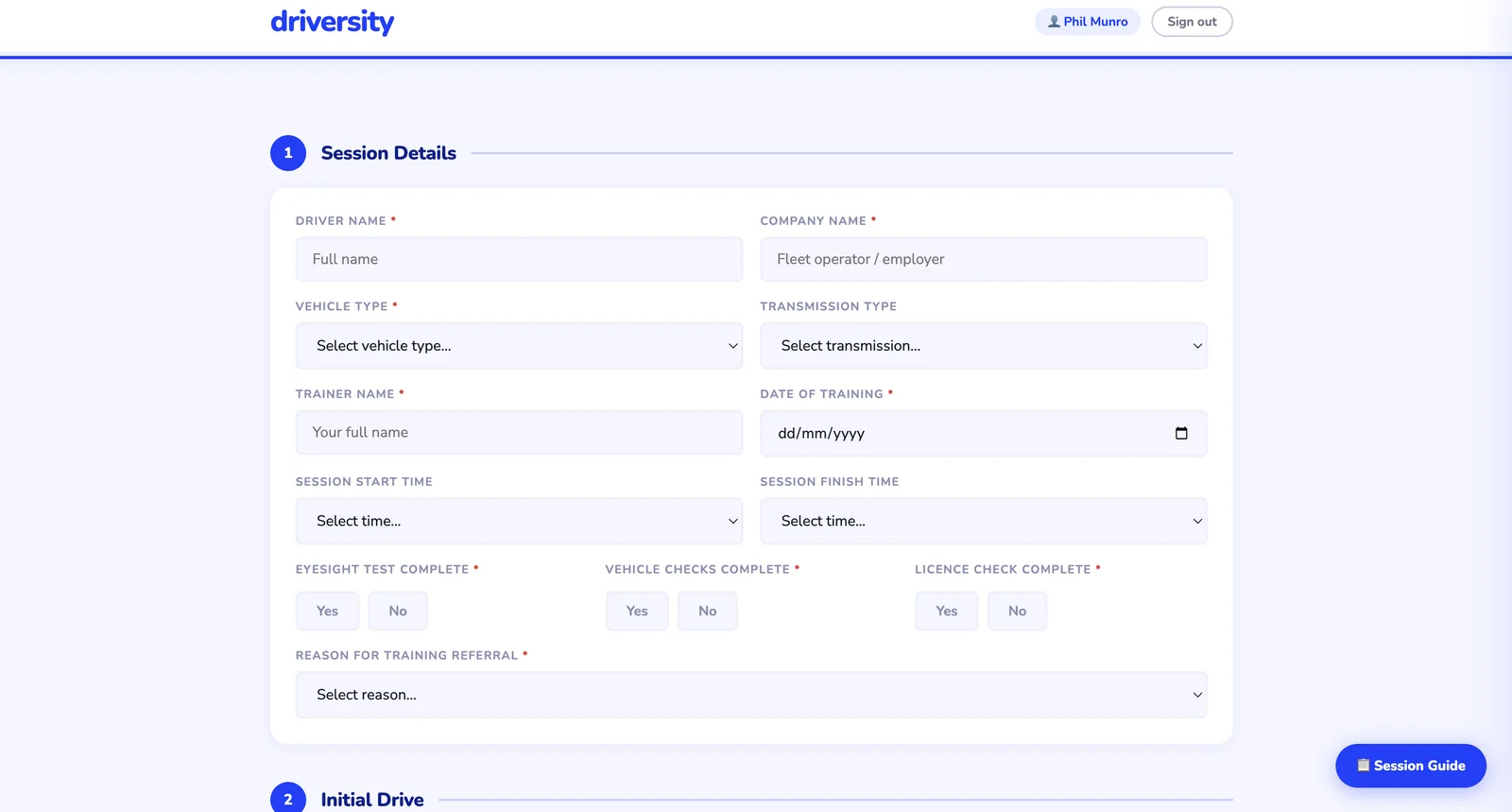
Assessment form
Structured on-road assessment form with session details and the session guide one tap away
The assessment form — structured, consistent, with the session guide one tap away throughout.
Session guide
The built-in session guide showing the full session timeline and what to complete at each stage
The built-in guide — the full session timeline and what matters at each stage, available at any time while the form is being filled in.
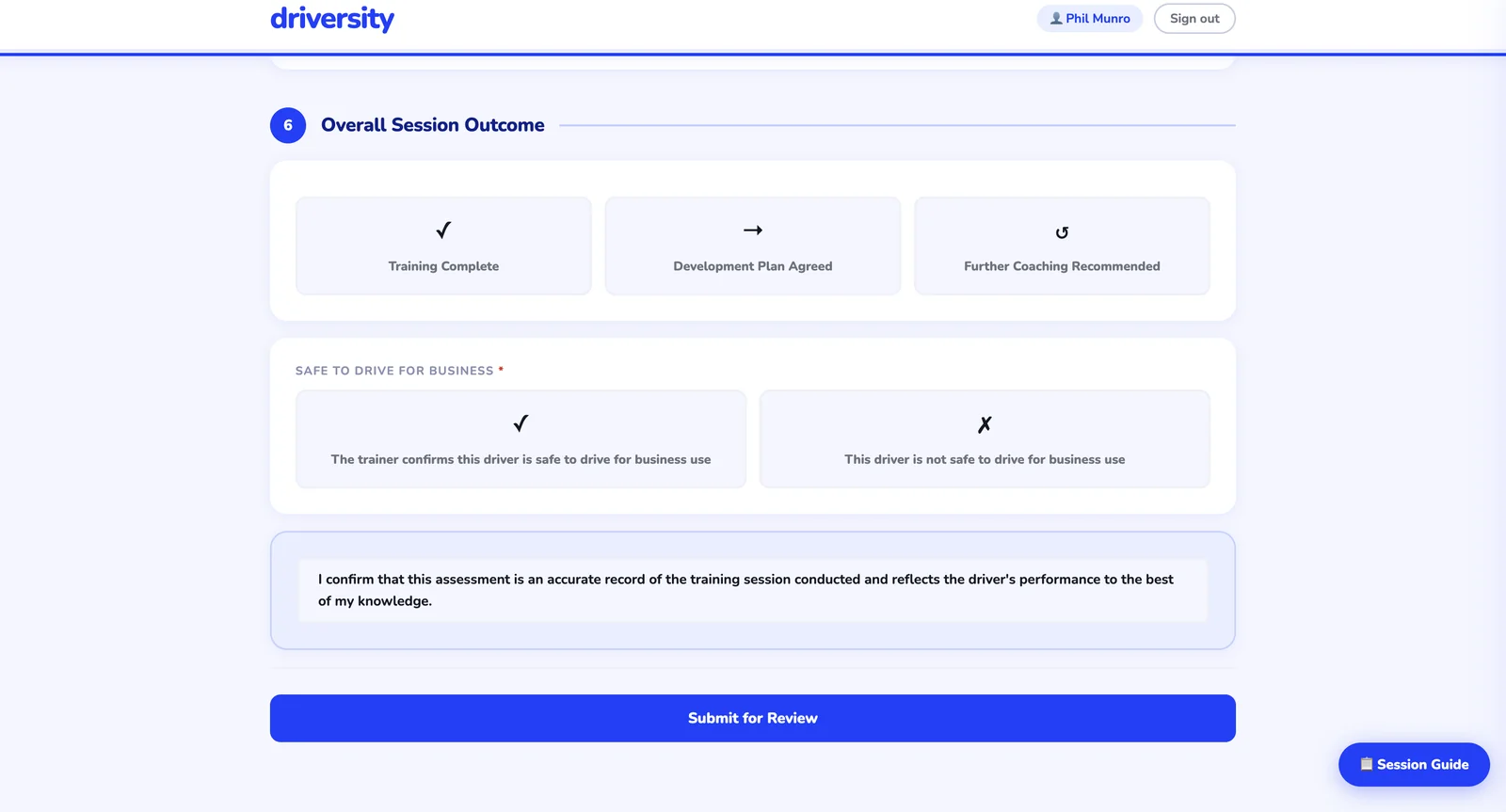
Session outcome
Session outcome screen with the safe-to-drive decision, trainer declaration and submit for review
The outcome — a clear safe-to-drive decision and trainer declaration, then straight in for review.
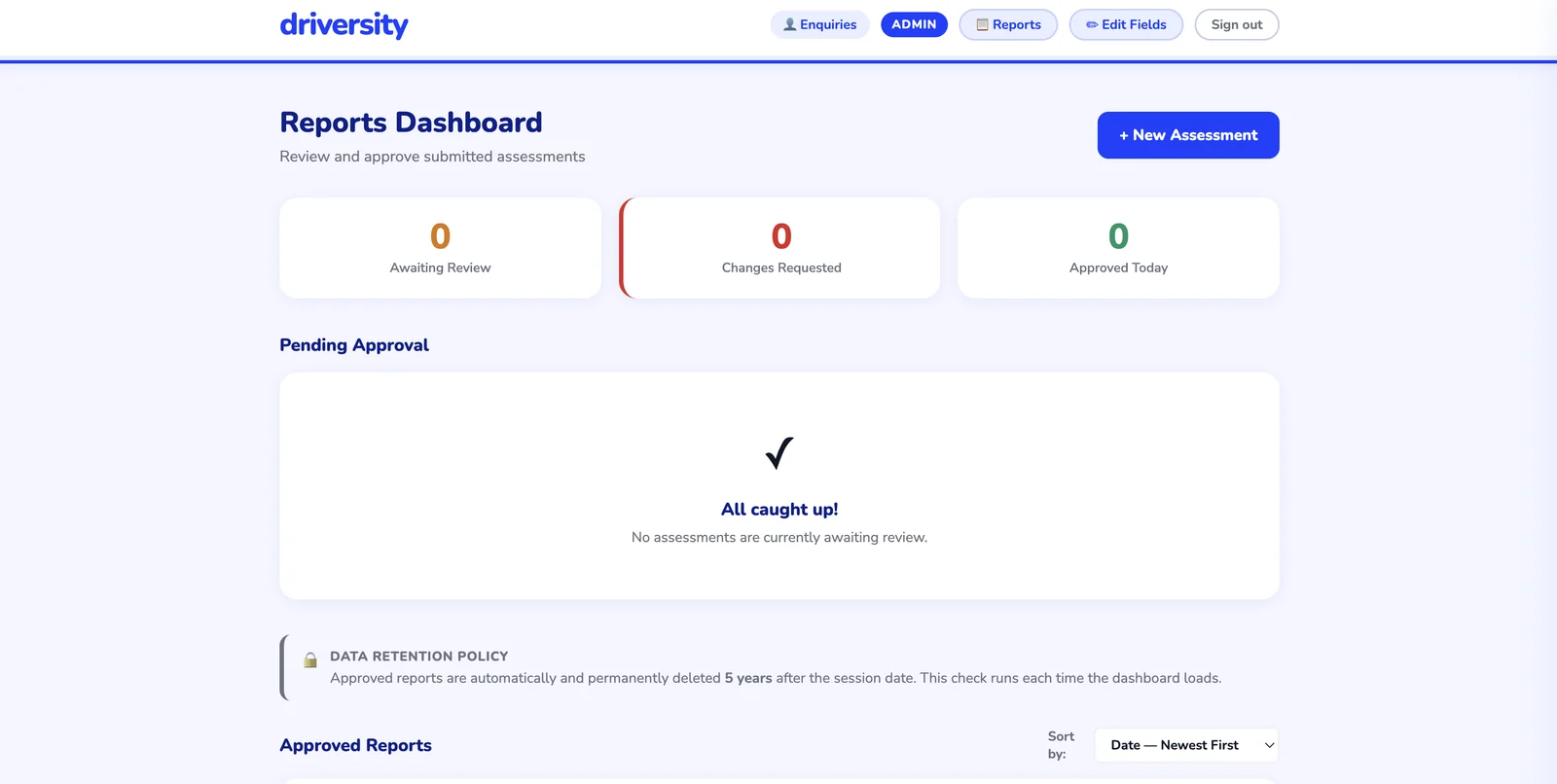
Reports dashboard
Admin reports dashboard showing assessments awaiting review, changes requested and approved
The admin dashboard — approve and the branded PDF goes to the client in one click, or send it back to the trainer to edit. Five-year auto-deletion runs itself.

AI built in

A pipeline that fills itself.

Finds relevant local businesses to approach
Drafts a personalised outreach email for each one
Queues every draft for a human to review before sending

Every AI feature has a manual fallback — the business never depends on AI to function, it just moves faster with it.

The outcome.

Polished, professional reports in the employer's inbox the same day instead of the same week — every one reviewed, every one consistent, every one arriving with a guide that helps the client act on it.

And because the whole journey lives in one portal — fill in, review, approve, send — the admin between the drive and the invoice has all but disappeared.

Could your business work like this?

Tell us how you run things today and what you'd like to change. We'll come back to you within one working day — no sales pitch, no obligation.

Tell us about your business